
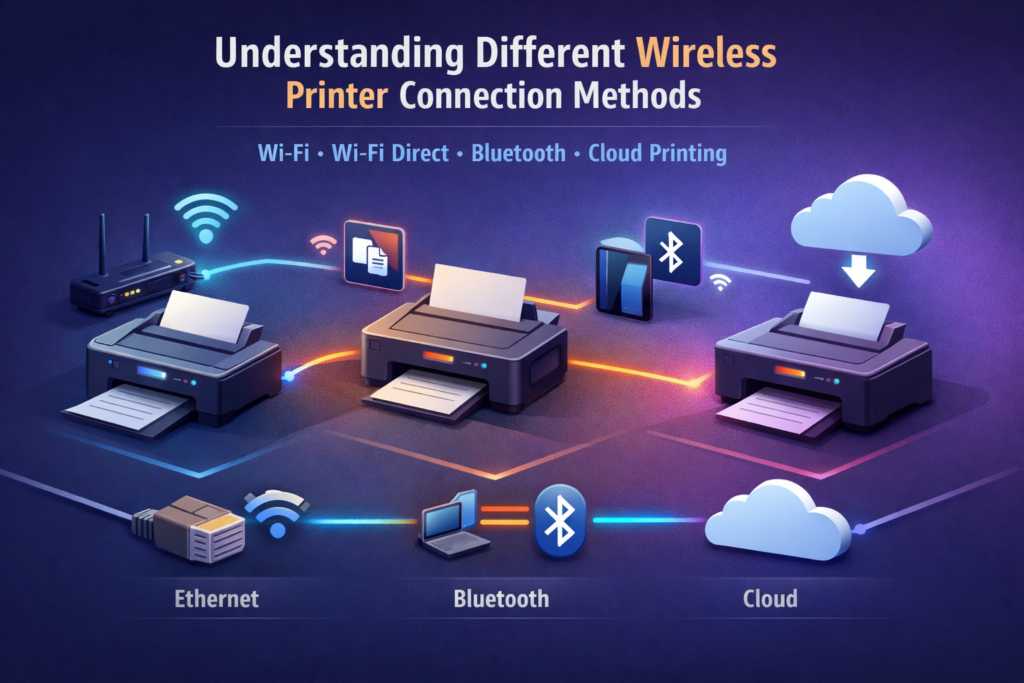
Understanding Different Wireless Printer Connection Methods
(General Educational Guide)
Wireless printers can connect to computers, smartphones, and tablets in multiple ways. Understanding these connection methods helps users make informed choices and improves everyday printing experiences.
This guide explains general concepts behind wireless printer connection methods. The exact experience may vary depending on printer design, operating system, and network environment.
This content is provided solely for educational and informational purposes.
What Are Wireless Printer Connection Methods?
Wireless printer connection methods are the techniques by which printers communicate with devices without a direct cable.
Common connection methods include:
Wi-Fi Network Connection: The printer and devices connect through a shared Wi-Fi network.
Wi-Fi Direct: Devices connect directly to the printer without requiring a router.
Bluetooth: Short-range wireless communication for compatible devices.
AirPrint (for iOS devices): Apple’s built-in wireless printing protocol.
These methods allow flexibility in device placement, ease of printing, and multi-device compatibility.
Items Commonly Needed
A powered-on Wi-Fi or Bluetooth-enabled printer
Devices capable of the chosen connection method
Network name and password for Wi-Fi connections
Knowledge of device and printer placement within the range of the connection
These items are commonly referenced in general discussions about wireless printer connectivity.
General Steps Commonly Observed During Wireless Connection
1. Network or Device Preparation
Printers and devices prepare for communication based on the selected connection method. This may include activating Wi-Fi, Bluetooth, or enabling AirPrint functionality.
2. Device Discovery
Devices detect available printers using built-in discovery protocols. Visibility may depend on:
Connection method
Device operating system and settings
Printer readiness
3. Selecting the Printer
Users typically select the desired printer from a list of available devices. Correct selection ensures the data is sent to the intended printer.
4. Data Transfer
Once a printer is selected, the device sends print data over the network or direct connection. Printers organize incoming data for accurate output.
5. Completion and Future Use
After the job is processed, devices maintain communication with the printer for future tasks. Visibility may fluctuate temporarily if the printer enters standby mode.
General Usage Considerations
Choosing the appropriate connection method can influence printing speed and reliability
Wi-Fi network stability impacts all network-based printing methods
Devices in close proximity improve Bluetooth and Wi-Fi Direct performance
Multiple devices using the same printer may require job sequencing
Informational Notice
guidetoinstallation.info provides independent educational content on wireless printer connectivity methods.
Not affiliated with any printer manufacturer
No paid or technical services offered
Content does not replace official documentation
For model-specific or authoritative information, readers should consult the materials provided by the printer manufacturer or operating system publisher.